


Go to Android platform Display platforms icon
Go to Android platform Go to Windows platform Go to Mac platform Go to iOS platform
RetroArch icon

RetroArch

1.22.2_GIT
Open source
4.5 73 reviews
2.1 M downloads
security security

The definitive emulator app that allows you to play any classic game

Advertisement
Remove ads and more with Turbo
Advertisement
Remove ads and more with Turbo
Andrés López icon
Reviewed by
Andrés López
Content Editor
Andrés López is part of Uptodown's in-house Editorial Team. Translated by Uptodown Localization Team

RetroArch is a frontend which allows you to manage several dozen emulators for a variety of consoles, comfortably from the same interface. The program is completely free, open source, and multi-platform, so it can be run on Android, but also on Windows, Mac, Linux, iOS and even some consoles like the PS3, PSP or Wii.

Choose between more than thirty emulators

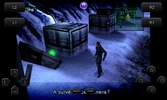
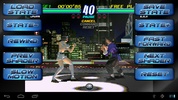
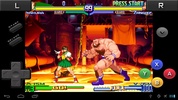
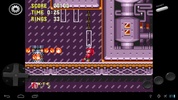
RetroArch is much simpler to use than it may seem at first glance. Basically, the app includes a list of cores (plugins needed to emulate consoles) that you can download directly, with a single tap. Among them you will find: PlayStation 1 (PCSX ReARMed), Super Nintendo (SNES9x Next), Nintendo Entertainment System (FCEUmm/NEStopia), GameBoy/GameBoy Color (Gambatte), GameBoy Advance (VBA Next), Arcade (Final Burn Alpha), Neo Geo Pocket Color (Mednafen NGP), Virtual Boy (Mednafen VB), Sega Genesis/Mega Drive (Genesis Plus GX), Sega Master System/Sega Game Gear (Genesis Plus GX), Sega CD/Mega CD (Genesis Plus GX), Dreamcast (Flycast), PC Engine/PC Engine CD (Mednafen PCE Fast), WonderSwan Color/Crystal (Mednafen Wonderswan), PS2 (LRPS2). As we have come to expect, new cores, new consoles and new emulators are added to this list with each new update.

Advertisement
Remove ads and more with Turbo

In addition to console emulators, classic game engines

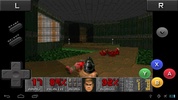
As if the complete catalogs of all the consoles mentioned above weren't enough, RetroArch also offers cores to comfortably play some of the great PC classics. Tomb Raider (OpenLara), Doom (PrBoom) and Quake (TyrQuake) are just some of the available cores. Please bear in mind that RetroArch doesn't come with any ROM or BIOS. Emulator cores can easily be downloaded from the cores section of the app, but any ROMs you want to play or any official assets must be downloaded separately. You will find a whole host of content in the Internet Archive.

Very easy to configure

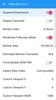
One thing that has made RetroArch so popular with respect to other similar apps is just how easy it is to set up. The app has a simple interface which makes it very easy to download the cores, configure the ROM directories, or map the controls of each console. In fact, if you have Android-compatible Bluetooth controllers, you can use them to play your favorite games. What's more, as it is so popular, there are hundreds of tutorials available that will explain how to configure any element step by step.

Play online and earn achievements in classic games

RetroArch also allows you to play online with a friend, as if they were by your side. Netplay Mode means you can set up online games and join your friends' online games. Setting up an online game for the first time can be tricky, so it's best to follow the complete tutorial from the official website. It only takes about ten minutes and you can play online whenever you like. As if all this weren't already enough, the app allows you to unlock achievements for old games, as if you were playing on a modern console. To do this, you will need to log in with your Retro Achievements account, of course.

All your emulators in a single app

Download RetroArch and enjoy what is by far the best Android emulation app around. Other emulators can help you play games from one or two consoles, but RetroArch has the potential to emulate tens of thousands of games, all from a single interface. A real treat for fans of video games in general and those passionate about emulation in particular.

Requirements (Latest version)

  • Android 5.0 or higher required

Information about RetroArch 1.22.2_GIT

Basic information

Developer Libreto
Category Emulators
Rating +3
Languages English

Distribution model

Pricing Free
License GPL 3.0
Source code
Copyright © 2026 Libreto
Why is this app published on Uptodown? (More information)

Security and privacy

Required permissions
See 5 permissions
Certificate signature cede827c63ac352f2a20611e94ce5c69
See security and antivirus report

Download info

Downloads 2,052,147
Date Sep 14, 2026
File type APK
Size 196.79 MB
SHA256 46912b4e23a03059782ff42ef29e9083931b9339846896164d4dca87bb2e0438

Technical details

Package Name com.retroarch
Advertisement
Remove ads and more with Turbo

Older versions

See more
apk 1.22.2_GIT Android + 5.0 Sep 14, 2026
apk 1.22.2_GIT Android + 5.0 Sep 15, 2026
apk 1.22.2_GIT Android + 5.0 Sep 13, 2026
apk 1.22.2_GIT Android + 5.0 Sep 12, 2026
apk 1.22.2_GIT Android + 5.0 Sep 13, 2026
Available for other platforms

Rate this App

Review the app
RetroArch icon

Rating

4.5
5
4
3
2
1
73 reviews

Users say

  • Users call the app a best emulator
  • Many report no problems and smooth performance
  • Overall, it’s praised as good, awesome, and reliable.
This is an AI-generated summary based upon real user reviews.

Comments

See more
calmpurplecrow23680 icon
calmpurplecrow23680
2 months ago

good

Like
Reply
freshyellowrabbit61764 icon
freshyellowrabbit61764
6 months ago

Best emulator, no problems—an awesome emulator.

1
Reply
tuli15 icon
tuli15
in 2025

I've had no issues with it. An amazing emulator that works perfectly.

6
Reply
kenny409 icon
kenny409
in 2025

Works great

4
Reply
fastgoldenmouse84534 icon
fastgoldenmouse84534
in 2025

excellent app

3
Reply
proudgreenhippo4171 icon
proudgreenhippo4171
in 2025

the best emulator of all time

4
Reply
See more
Advertisement
Remove ads and more with Turbo
GBCoid icon
Convert your Android terminal into a Gameboy Color
Winlator icon
Run x86 and x64 Windows apps and games on Android
Cemu icon
The best Wii U emulator for Android
Happy Chick icon
The best emulator of all emulators
Dolphin Emulator icon
Enjoy Gamecube and Wii games on your Android device
My Boy! Lite icon
Turn your Android device into a full Gameboy Advance
PPSSPP icon
The best way to emulate PSP on Android
Snes9x EX+ icon
The best Super Nintendo emulator for Android
Happy Chick icon
The best emulator of all emulators
My Boy! Lite icon
Turn your Android device into a full Gameboy Advance
AM2R (Another Metroid 2 Remake) icon
Android port of the great Metroid II remake
RetroArch Plus icon
A 64-bit version of the complete emulator pack
Matsu Player icon
Emulator that backs up several consoles
GBA emulator icon
Play classic gba games on android with smooth performance
John GBAC icon
Retro GBA/GBC gaming emulator with modern features for Android devices
GBA Emulator icon
Enjoy your favorite classic games
Telegram icon
Fast, secure, cross-platform messaging app
Telegram X icon
A faster version of Telegram with experimental features
Aurora Store icon
An elegant Google Play alternative
ProtonVPN icon
A powerful and free VPN
Firefox icon
Mozilla's powerful browser for Android
Waller icon
Create beautiful wallpapers in seconds
Metiq icon
App with sounds for study and relaxation
Escape Launcher icon
A minimalist launcher to use your smartphone less
Z LEGENDS 3 icon
The Z-warriors are back in action
Gacha Life icon
Create your own characters and go on a thousand adventures
PUBG MOBILE icon
The undisputed king of Android battle royale games
Doki Doki Literature Club! icon
Psychological visual novel with dark twists and deep storytelling
Roblox icon
A virtual universe where you can create and share experiences
EA Sports FC Mobile Beta icon
The new generation of soccer arrives on Android
DraStic DS Emulator icon
One of the best NDS emulators for Android
Fortnite icon
Outlast both the storm and all your opponents